TapSafe

07 / 12

Context
To be confirmed
Team
To be confirmed
Expertise
Product Design, Consumer UX, Subscription Services
Year
To be confirmed
TapSafe project

Overview

TapSafe is a mobile app designed to simplify how people manage warranties and protection plans for smart home devices. It addresses a common problem with extended warranties: they’re often purchased at checkout, stored as paper documents, and forgotten until something goes wrong—making claims difficult and frustrating.

TapSafe reframes device protection as a simple monthly subscription. The app acts as a central place to manage coverage, track expiry dates, and handle support and claims for all connected devices in one place. The project focused on reducing friction at moments of failure, clarifying coverage status, and designing a system that feels approachable and trustworthy for non-technical users.

Workshops

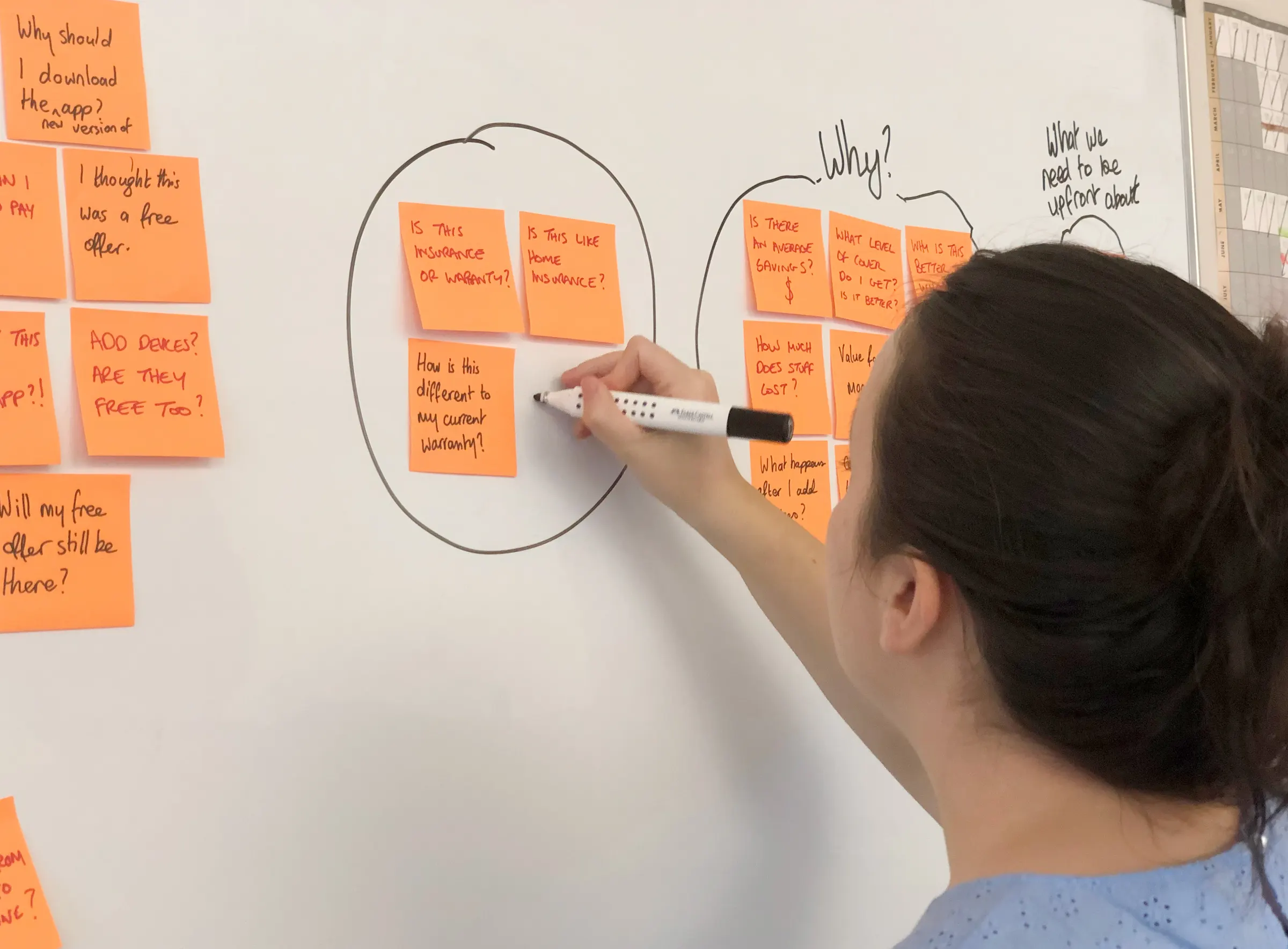
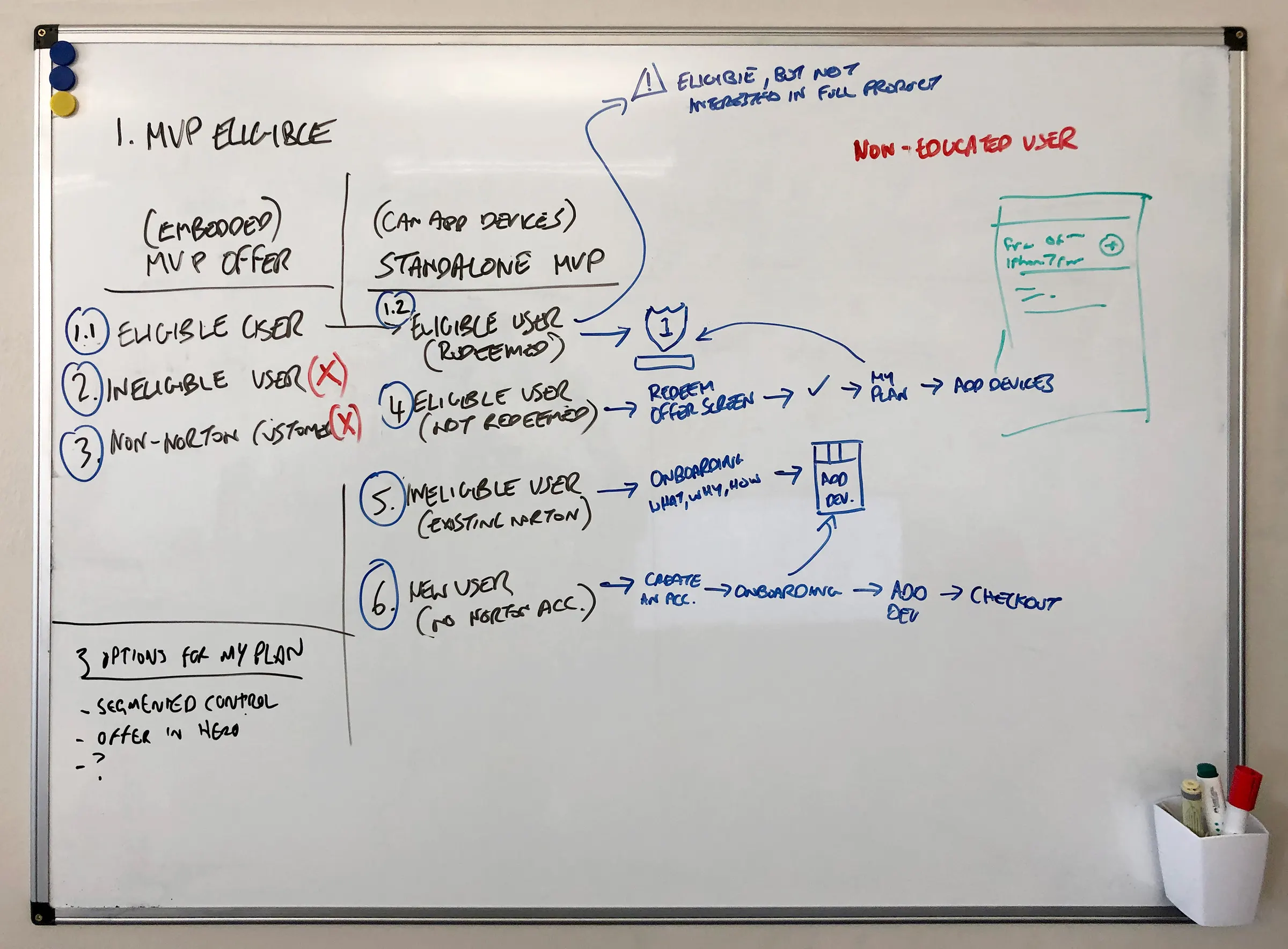
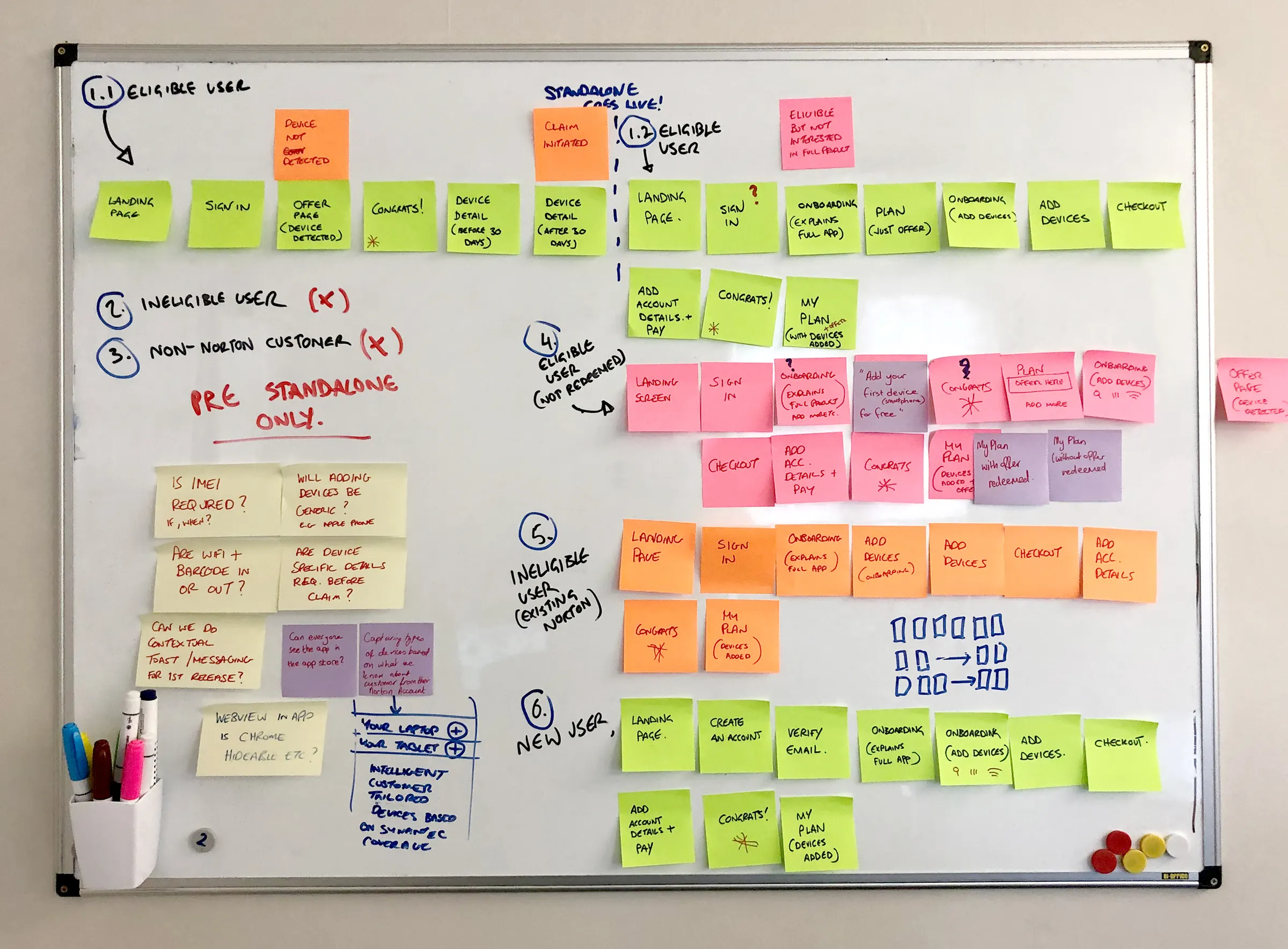
Workshops began with the questions people would ask, such as whether this was insurance and how it differed from an existing warranty, then mapped each type of user to their own path through sign-up, adding devices, and checkout.

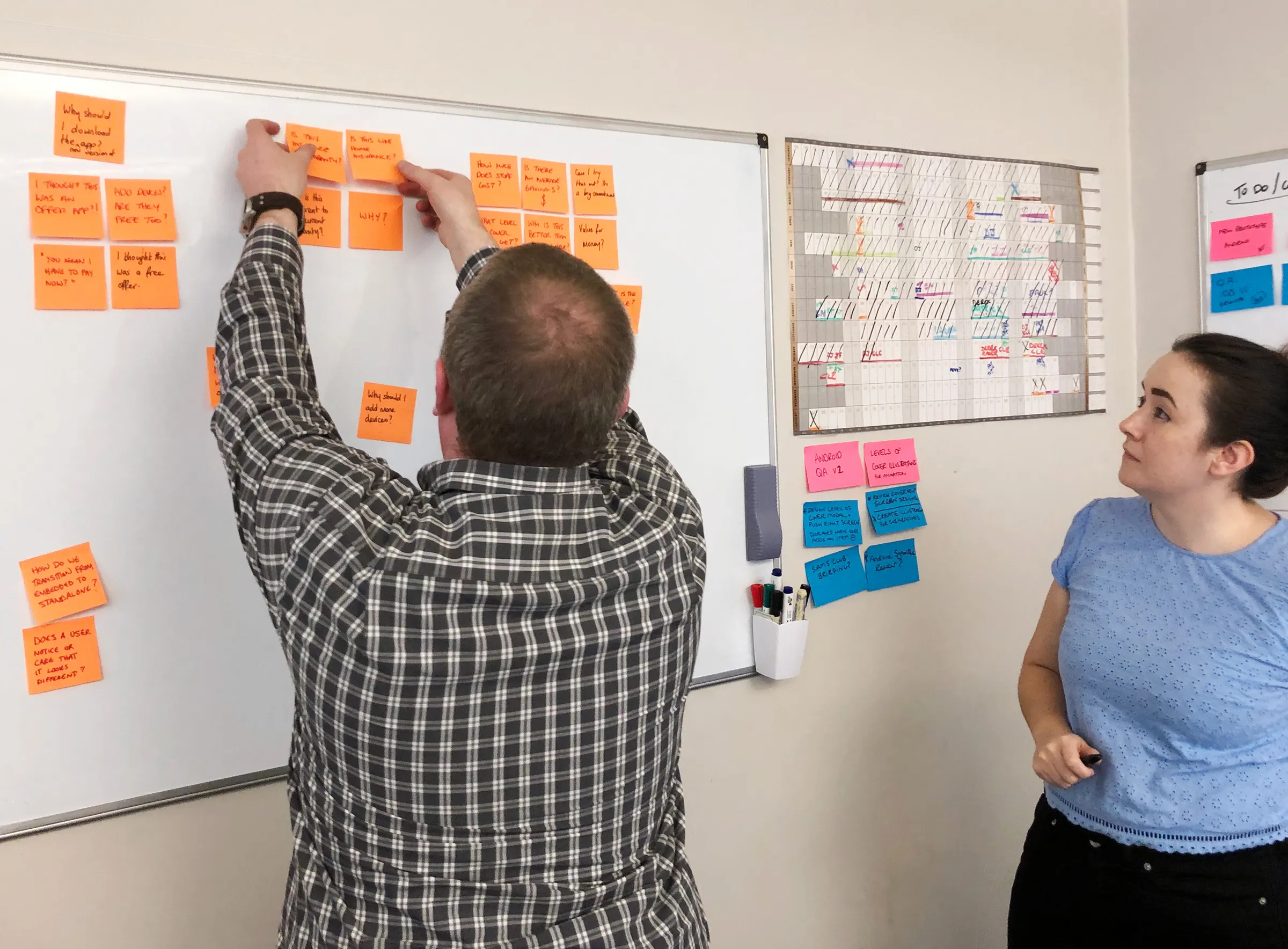
A designer adding sticky notes to a whiteboard of user flows, beside a second board listing user types
Two team members arranging orange sticky notes of customer questions on a whiteboardA team member grouping customer questions on sticky notes into circled clusters on a whiteboardWhiteboard mapping eligible, ineligible, and new users to different onboarding routes, with three options for My PlanWhiteboard of colour-coded sticky notes laying out the screen-by-screen flow for each type of user

Sketching

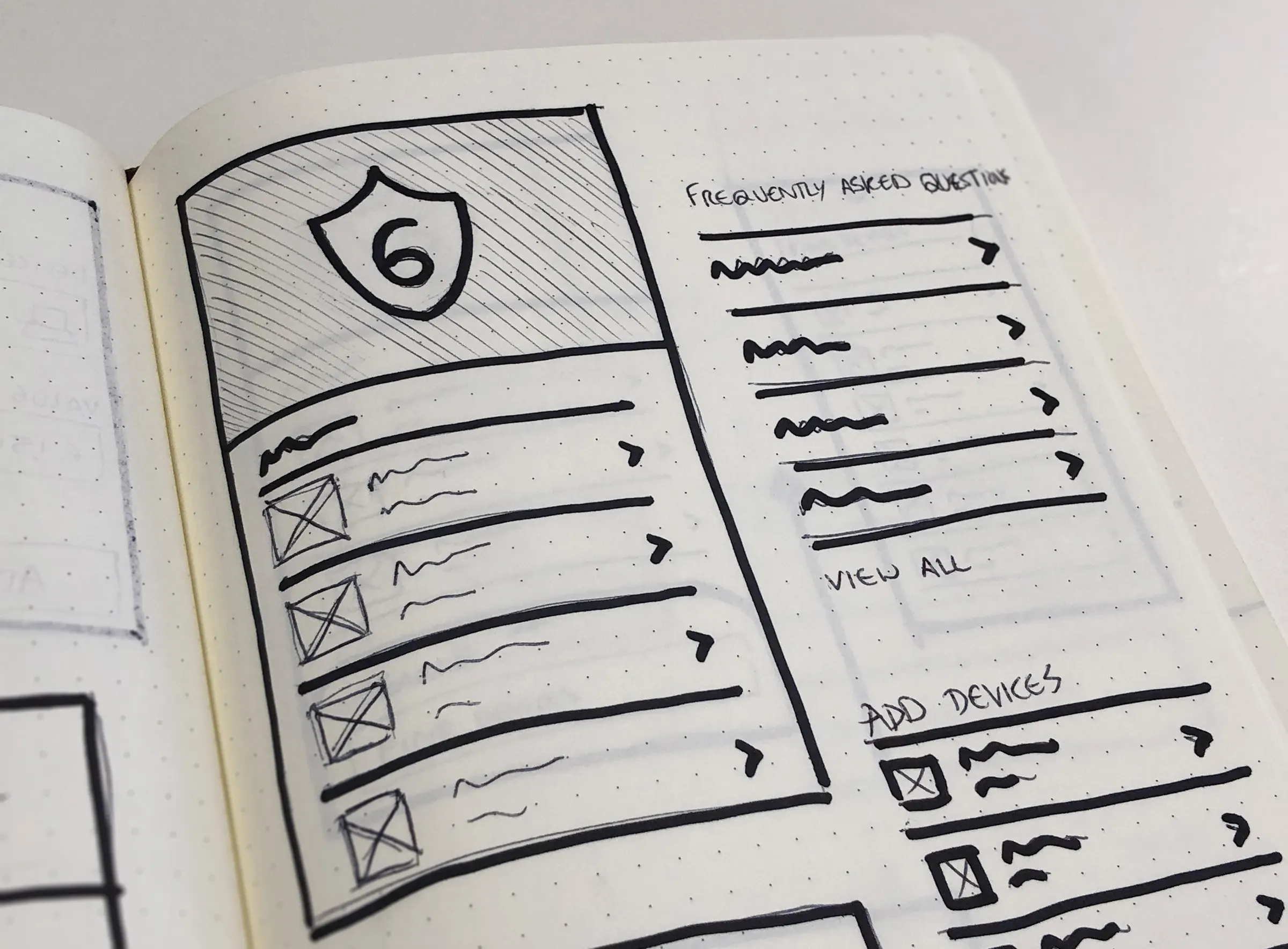
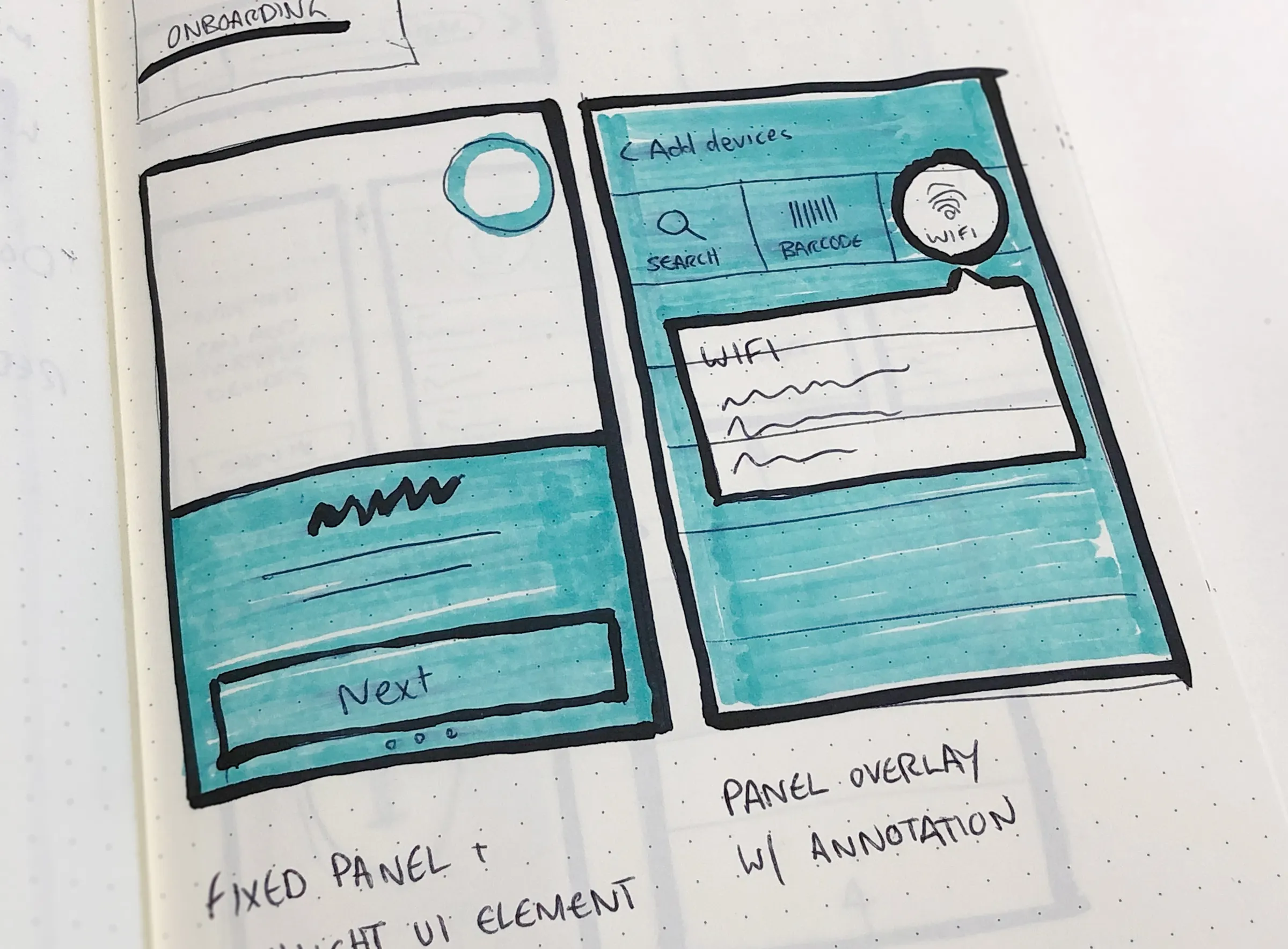
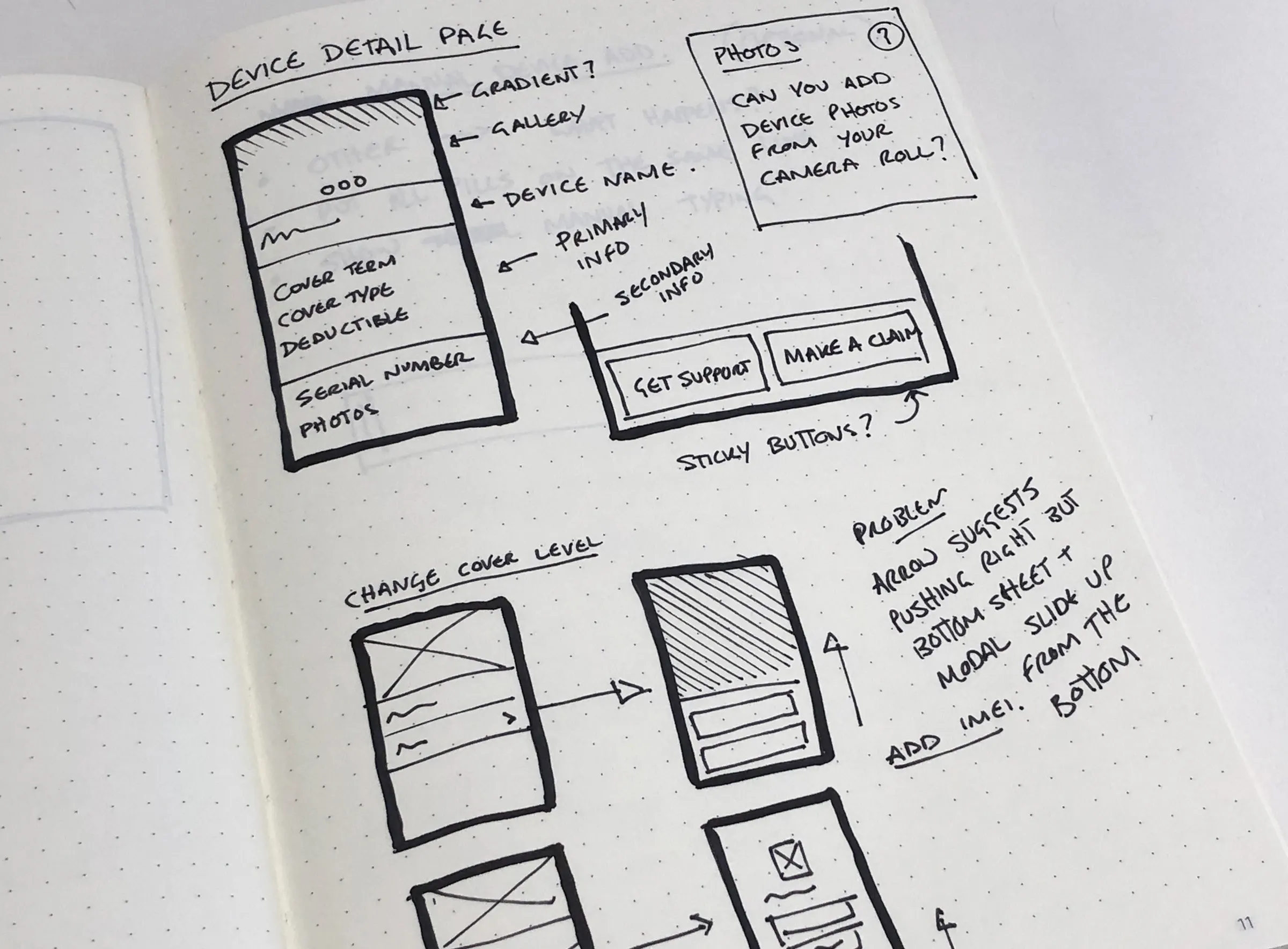
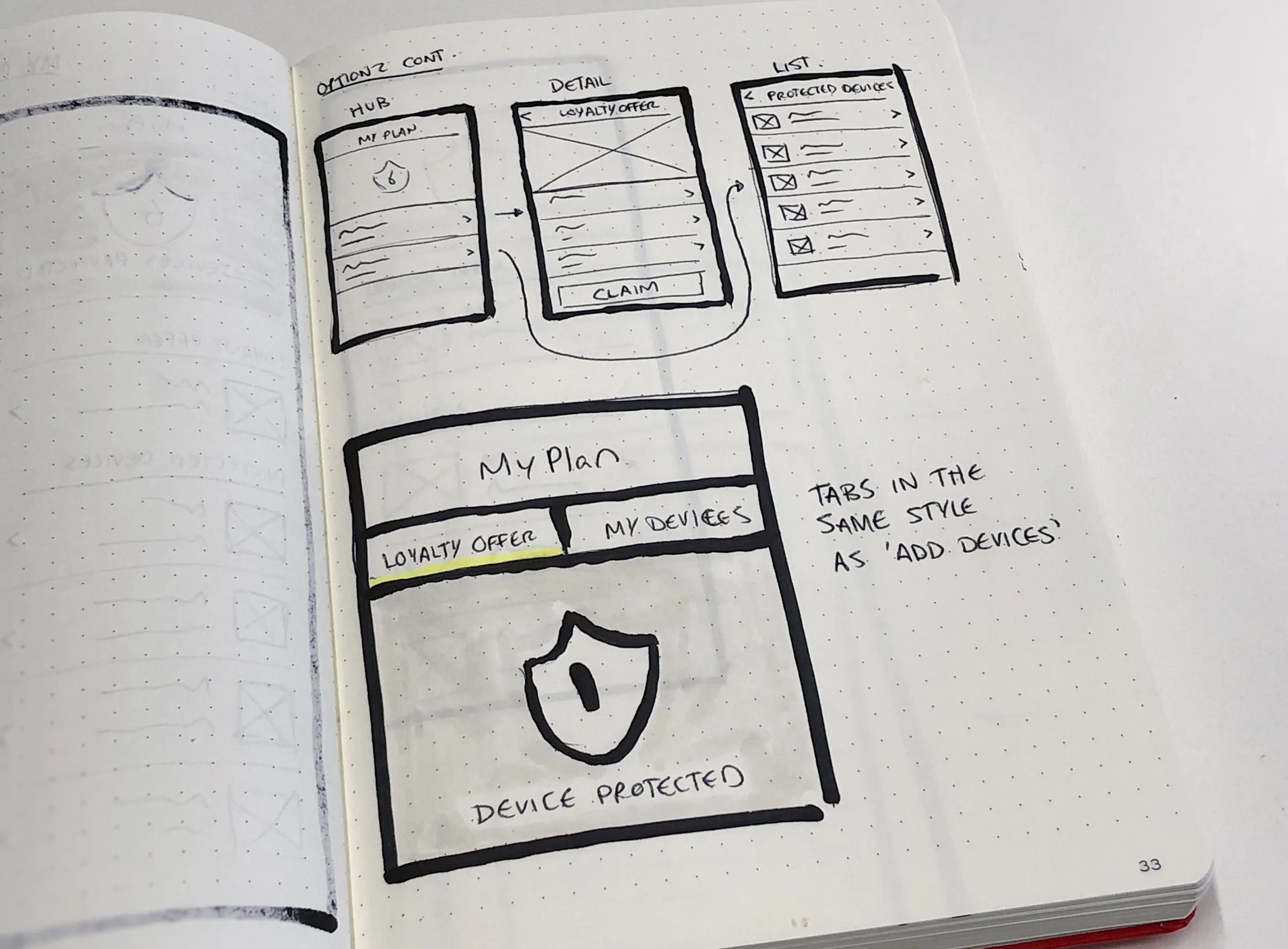
Notebook sketches explored how My Plan could summarise coverage at a glance, how people would add devices, and what a device page needed, from cover details to getting support or making a claim.
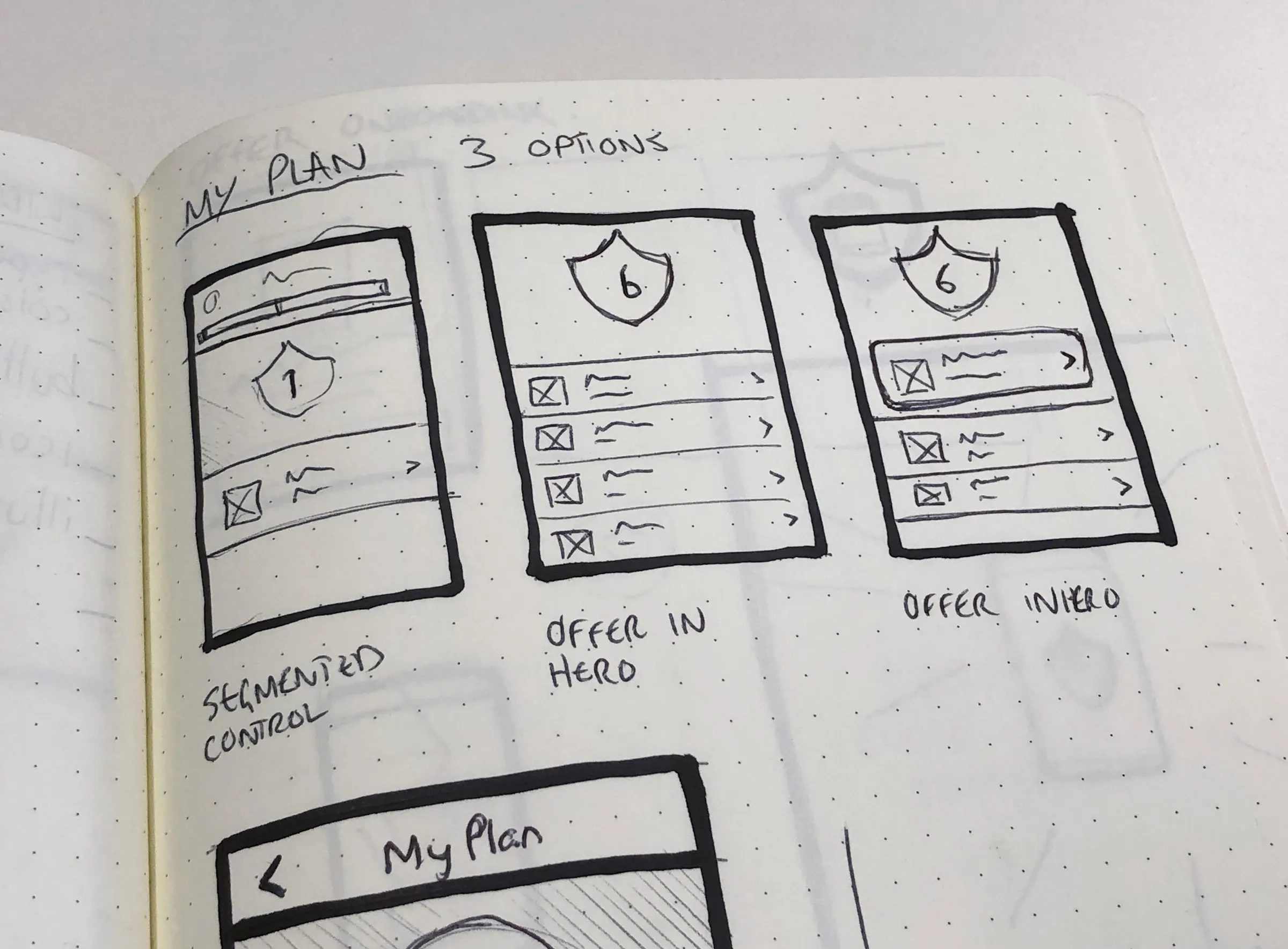
Notebook sketch comparing three My Plan layouts: segmented control, offer in hero, and offer in intro
Sketch of a My Plan hub, offer detail, and protected devices list, with tabs for loyalty offer and my devicesSketch of a My Plan screen with a shield showing six protected devices, a device list, and frequently asked questionsTeal marker sketches of an add devices panel with search, barcode, and Wi-Fi optionsAnnotated sketch of a device detail page with cover details, serial number, and sticky Get Support and Make a Claim buttons

Onboarding & discovery

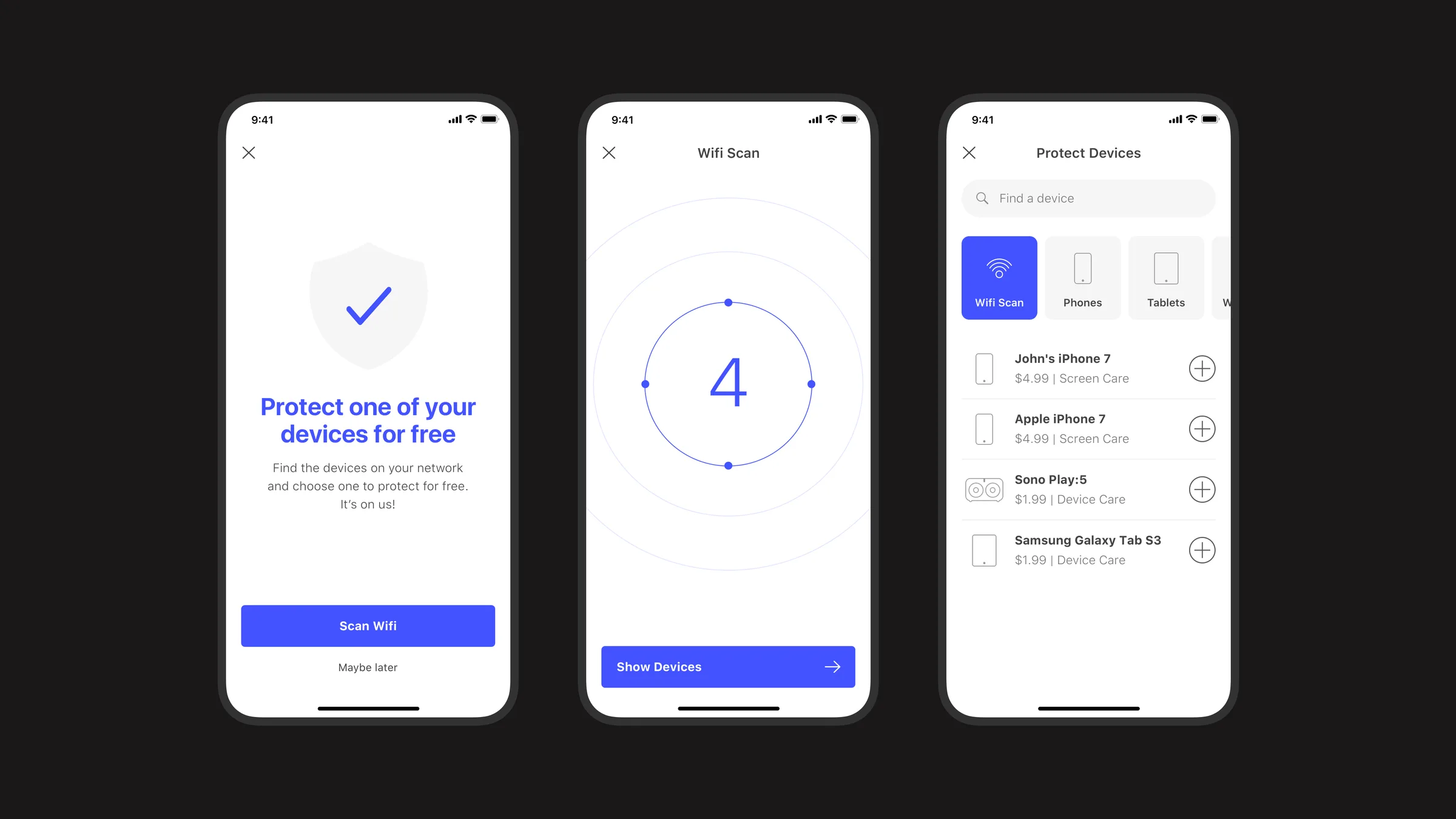
A simple welcome leads into a Wi-Fi scan that finds devices on the home network and offers to protect one of them for free.
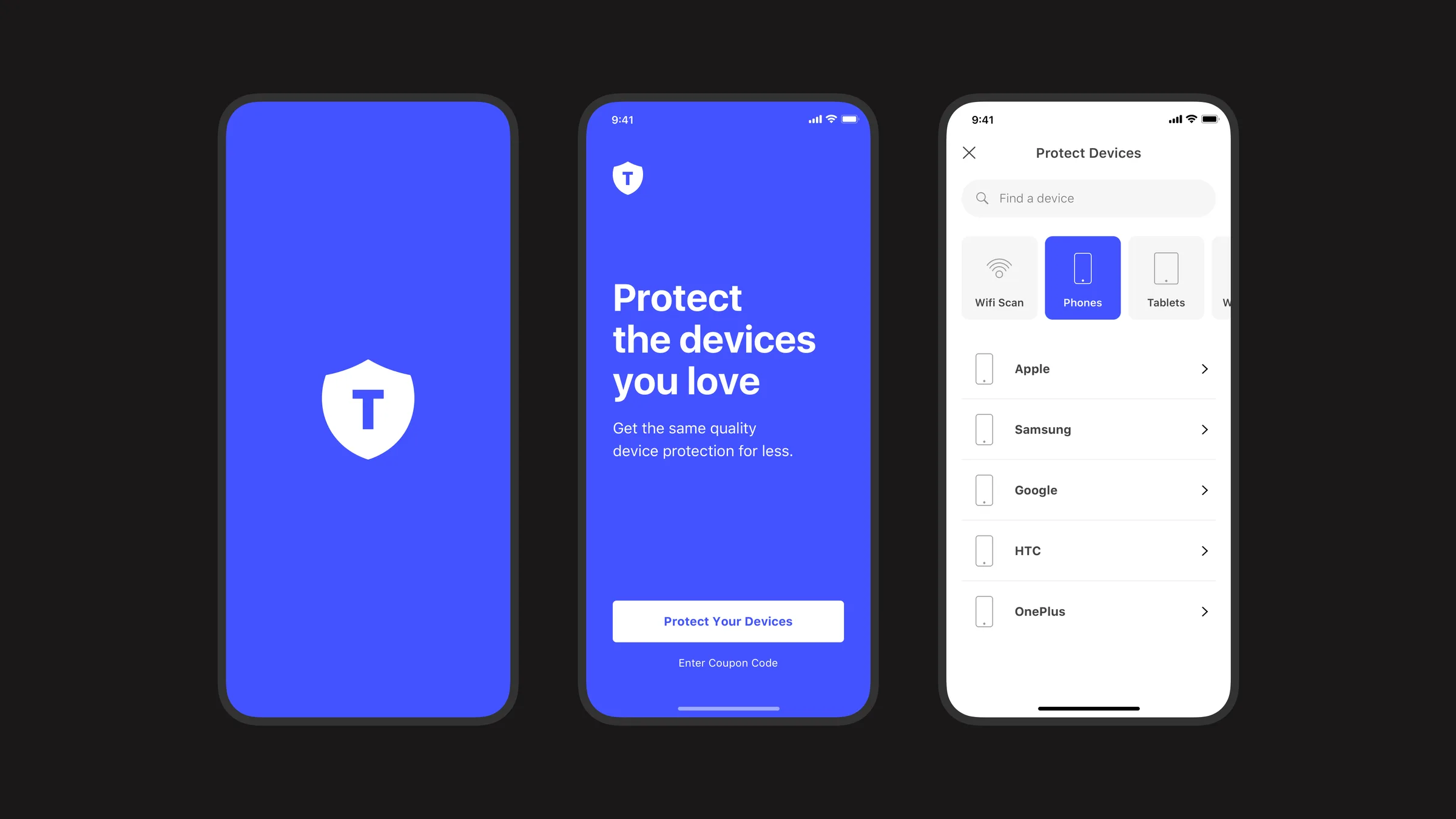
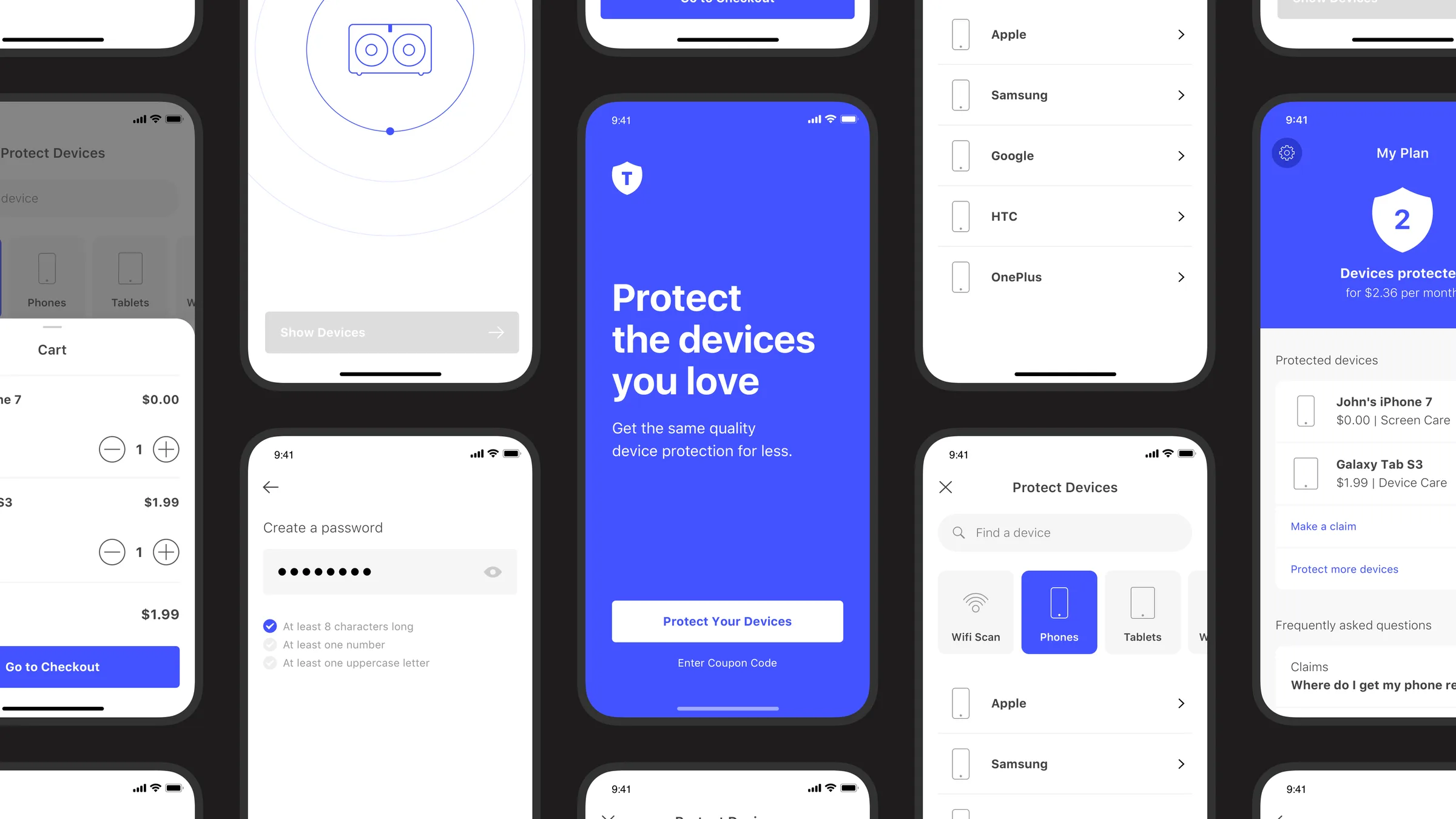
TapSafe splash screen, welcome screen reading Protect the devices you love, and the Protect Devices screen with brands listed
Free device offer, a Wi-Fi scan finding four devices, and the list of discovered devices with monthly prices

Cart & checkout

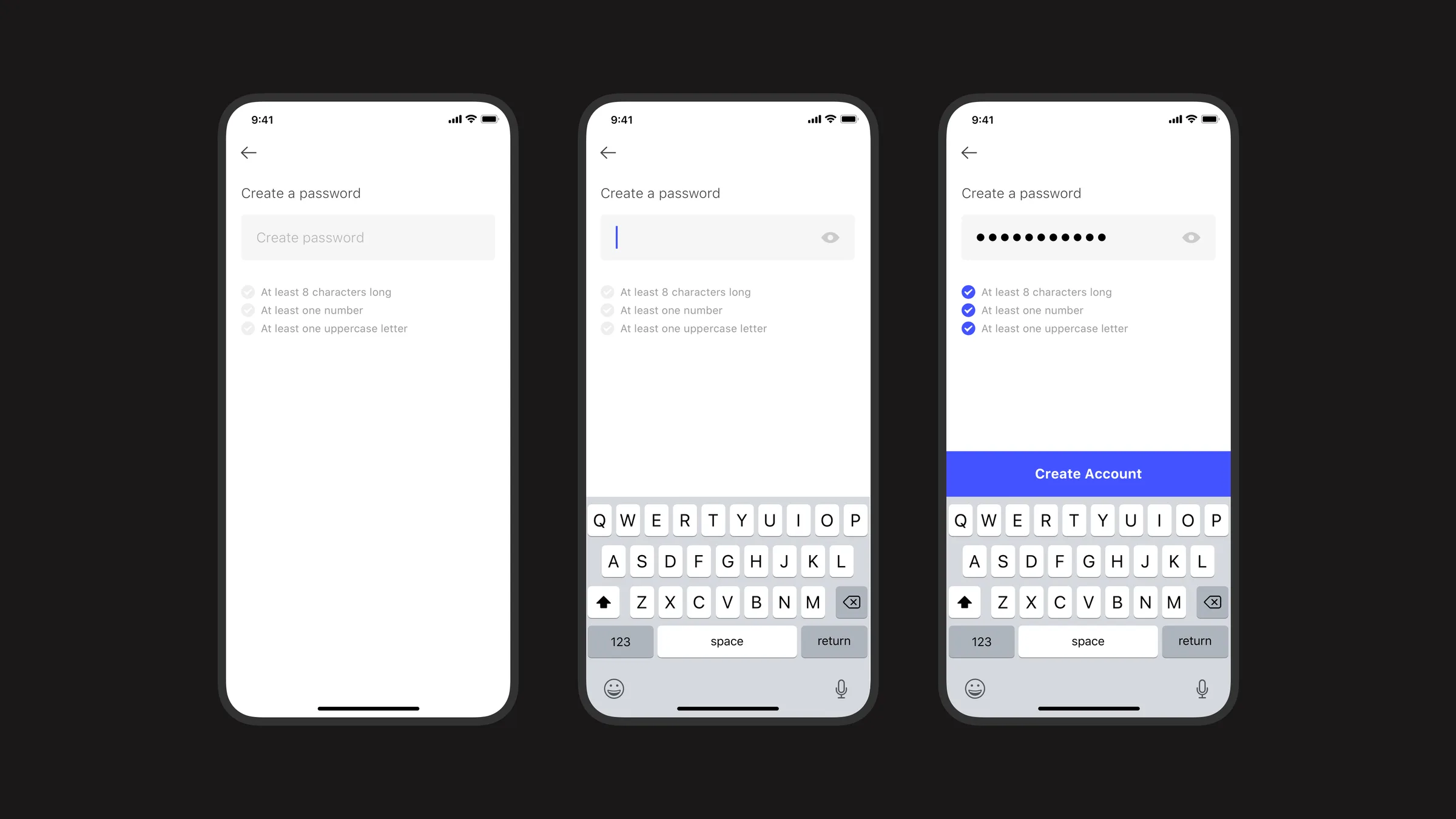
Selected devices collect in a cart with a running monthly price, followed by account creation with clear, inline password requirements.
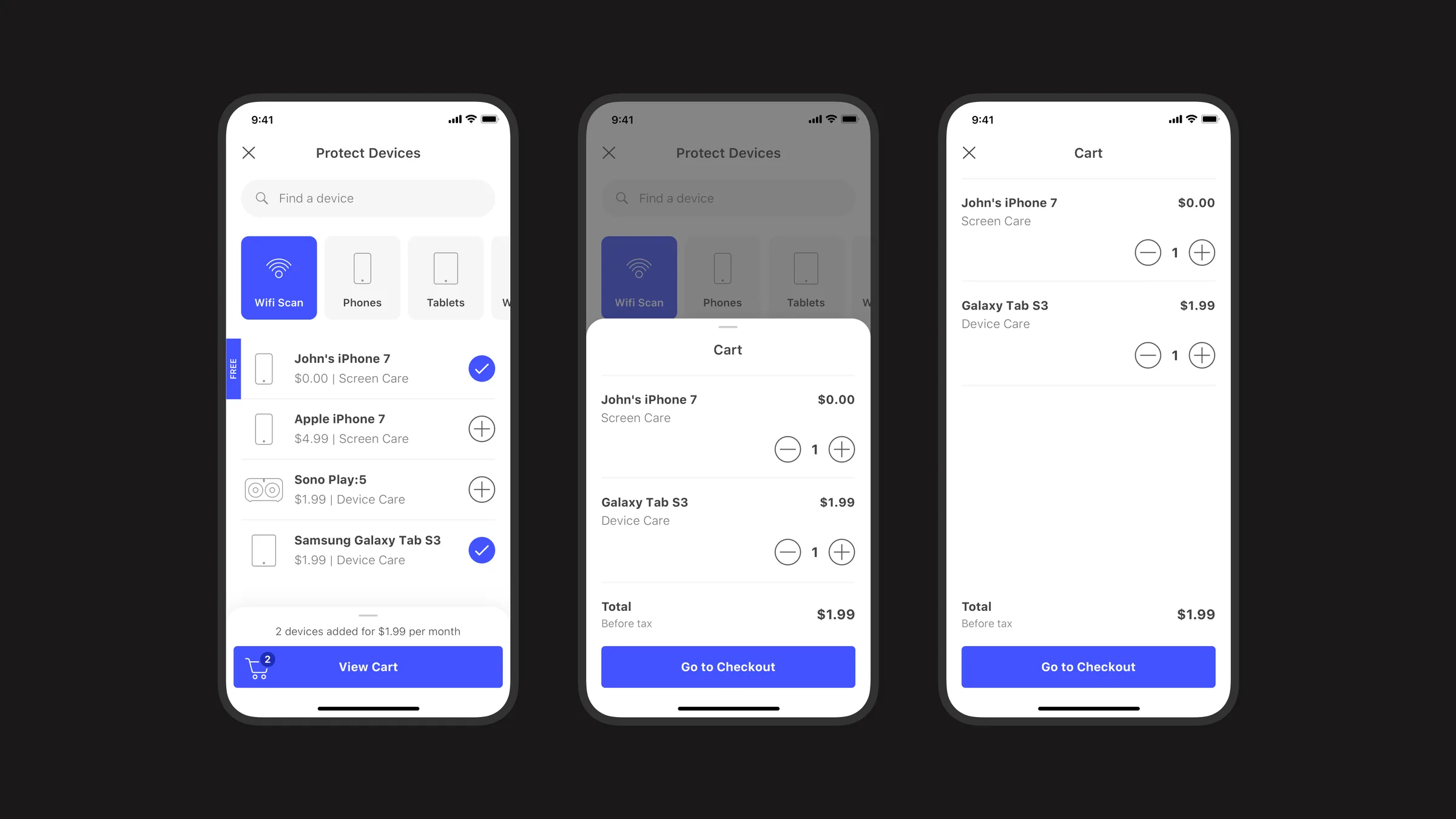
Two devices selected with a View Cart bar, the cart sheet opening, and the full cart with a total of $1.99
Create password screens moving from empty to typing to all requirements met with a Create Account button

My Plan

After payment, My Plan becomes the home for coverage: protected devices, monthly cost, claims, and answers to common questions in one place.
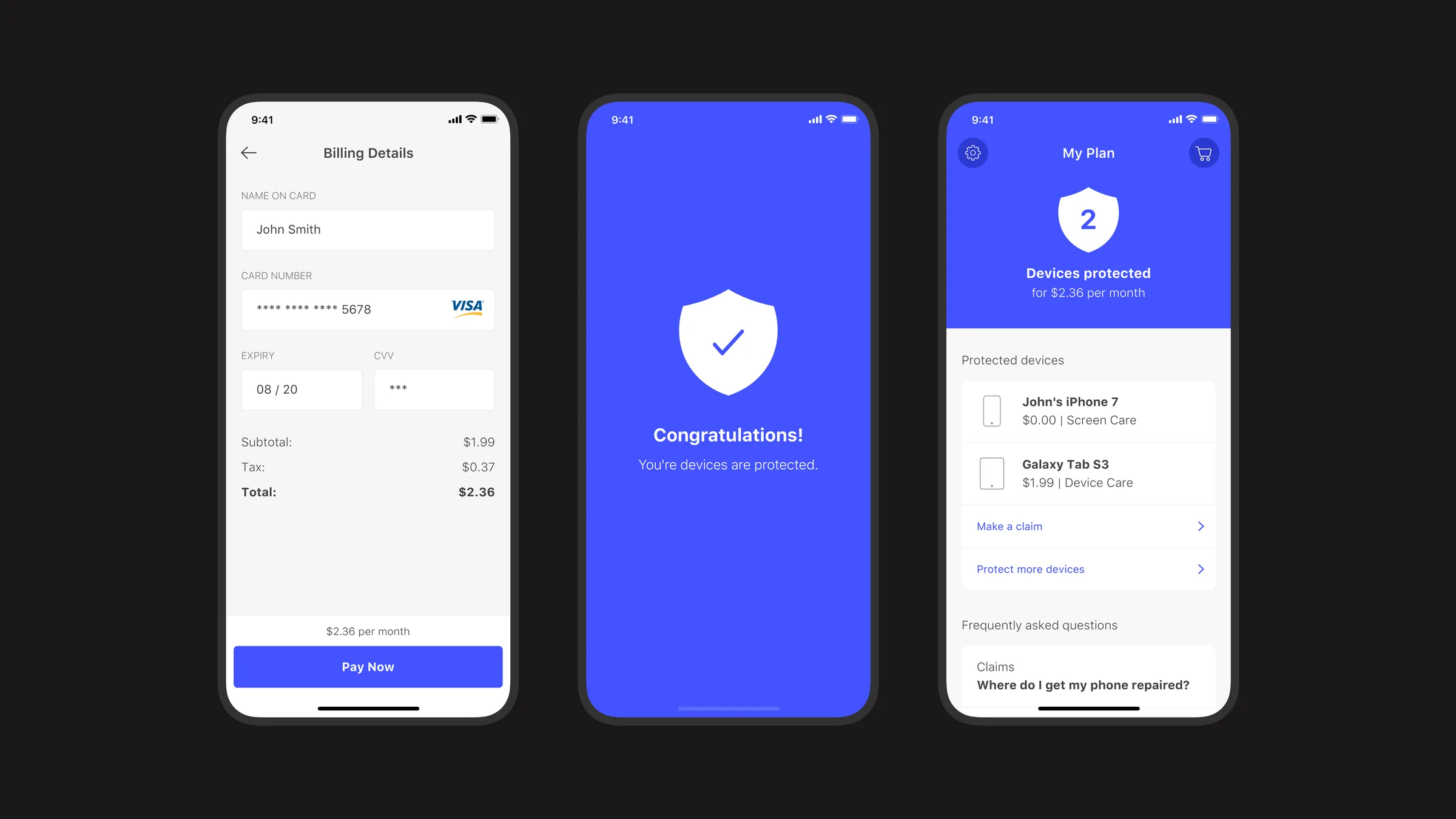
Billing details, a confirmation screen with a shield and check mark, and the My Plan dashboard showing two protected devices